
- Navigate to "Quiz" section and use "New Quiz from Template" button.
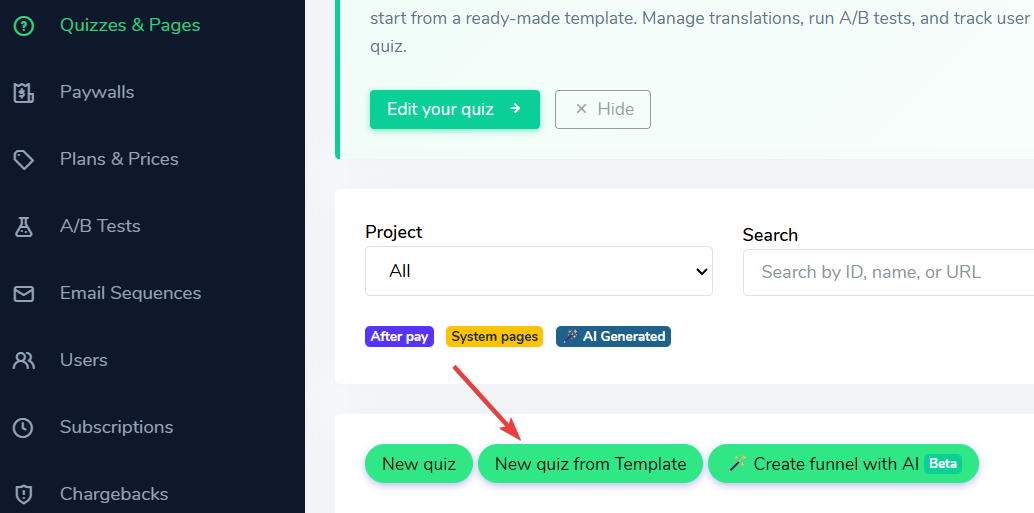
Creating new quiz from template
- Use the "After pay" button (1 at the screenshot) to filter the templates. Then Copy to your project (2 at the screenshot)
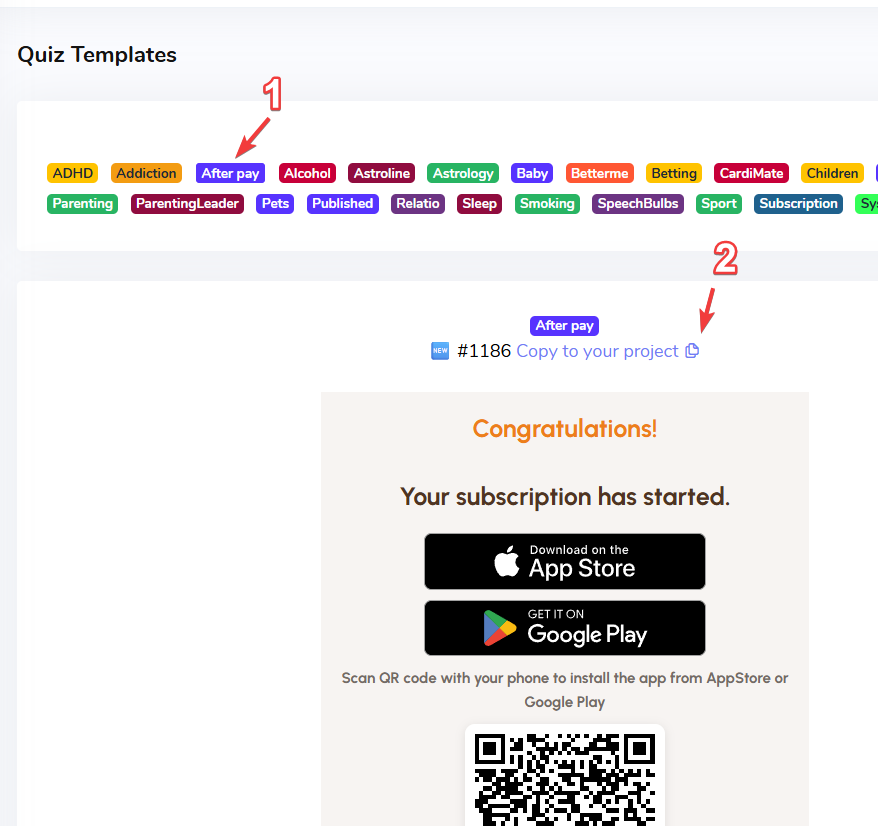
Creating of After Pay page
- At the Paywall "Settings", define the "After Payment go to" to use new "After Pay" page.
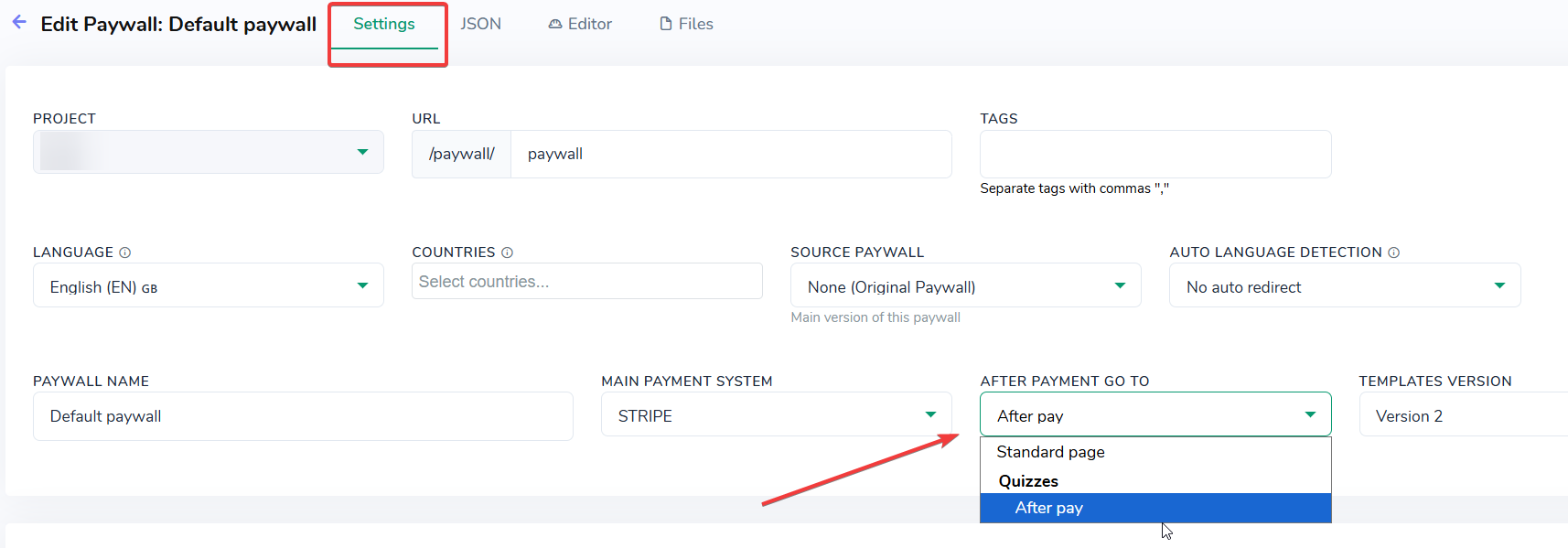
Defining the page to be opened after payment
Q: Why new After pay page can't be selected in the "After Payment go to" dropdown?
- Make sure your Quiz has After pay tag, you can simply enable checkbox "Allow to be used After Payment" in the Quiz Settings tab, and this tag below will be added automatically:
After pay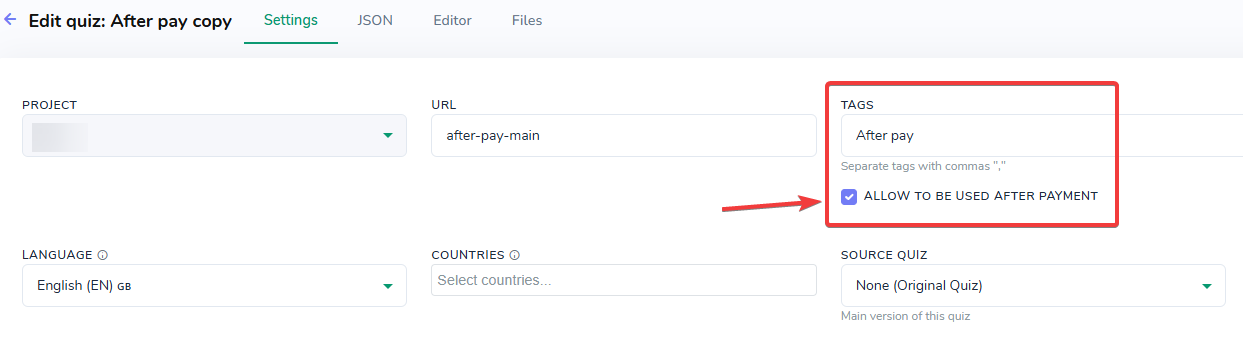
Without this Tag After Pay won't be available in the Paywall settings