
Add User variables & answers
Insert as {user_answer}, {utm_tag} in any text fields in any place
Hello, {name}!Use them as variables in EJS template – https://ejs.co/
< % if (name == 'Mark') { %>
  Hello Mark!
<% } else { %>
	Hello other person!
<% } %>
Use variables in JS function inside any field
Just add callback function() into any field
function (answers) {
 if (answers.satisfaction) {
 	if (answers.satisfaction.indexOf('Yes, I want') > -1) {
  	return 'Your are happy'
  }
   if (answers.satisfaction.indexOf('No, I have') > -1) {
  	return 'Your are NOT happy'
  }
 }

  return 'Your skin is OK'
}
Predefined variables
// If there subscription purchased by a user
subscriptions.paywall_ids = "1195, 1189"
subscriptions.paywall_names = "No trial - weeks,Paywall upsell 1"
subscriptions.price_external_codes = "Weekly (60%),Upsell Infographic"
subscriptions.price_external_ids = "P-1B306054UR9931515M5C6TLQ,P-1B306054UR9931515M5C6TLQxx"
subscriptions.price_ids = "1231231,345345"

project.app_links.app_store = "https://XX.onelink.me/XXX?af_xp=custom&c=web2wave&deep_link_value=USER.USER_ID"
project.app_links.google_play = "https://XX.onelink.me/XXX?af_xp=custom&c=web2wave&deep_link_value=USER.USER_ID}"
project.app_links.web = "https://XX.onelink.me/XXX?af_xp=custom&c=web2wave&deep_link_value=USER.USER_ID"
project.id = 192
project.legal_address
project.legal_app_store_id
project.legal_company_name
project.legal_email
project.legal_google_play_id
project.legal_jurisdiction
project.og.title = ""
project.project_id = "templates"
project.title = "Templates"
JS in Screens logic
Use in "JS condition" fields
function (answers) {
 if (answers.satisfaction) {
 	if (answers.satisfaction.indexOf('Yes, I want') > -1) {
  	return 'question-1';
   }

   if (answers.satisfaction.indexOf('No, I have') > -1) {
  	return 'products';
   }
 }
  return 'shape';
}
Listening for Events and Sending custom events
AnalyticsManager.on('Subscribe', function(event){
// event.currency = "AUD"
// event.eventID = "781d5918-4915-450e-9da9-bcfaaee39dfd_Subscribe_34473_0"
// event.value = 29.99

// Also you have an access to
// window.subscriptions
// It contains an array of user's subscriptions
})
Sending events to internal and external analytics
AnalyticsManager.logEvent('EventName', {value: 123})Saving user properties
AnalyticsManager.setUserProperty('my_property', 'value')

// After that you can access properties from
window.user_properties.my_property
// or as argument in function
function(answers){
  if (answers.my_property && answers.my_property.includes('answer')) {
  	return 'has answer';
  }
}
Navigating between screens
screensManager.moveToNextScreen();

screensManager.moveToSection('screen_id');

screensManager.moveToPreviousScreen();
Detect if a user has PayPal susbcripton
let isHasPayPalSubscroption = !!subscriptions.filter(function(el){return el.payment_system_label == 'PayPal'}).length;Change text on Buy button on Paywall when free trial price is selected
AnalyticsManager.on('price_selected', function(selectedPrice){
  debugger;
    let activePrice = window.paywall_products.product_info.product_data.prices.find((price) => price.id == selectedPrice.id);

	if (activePrice?.phases?.trial > 0 || activePrice.trial_free_period_length_in_days > 0) {
		$('.type-button--payment-action').text('Star free trial')
	} else {
		$('.type-button--payment-action').text('Continue')
	}
});
Redirect user to custom URL after quiz
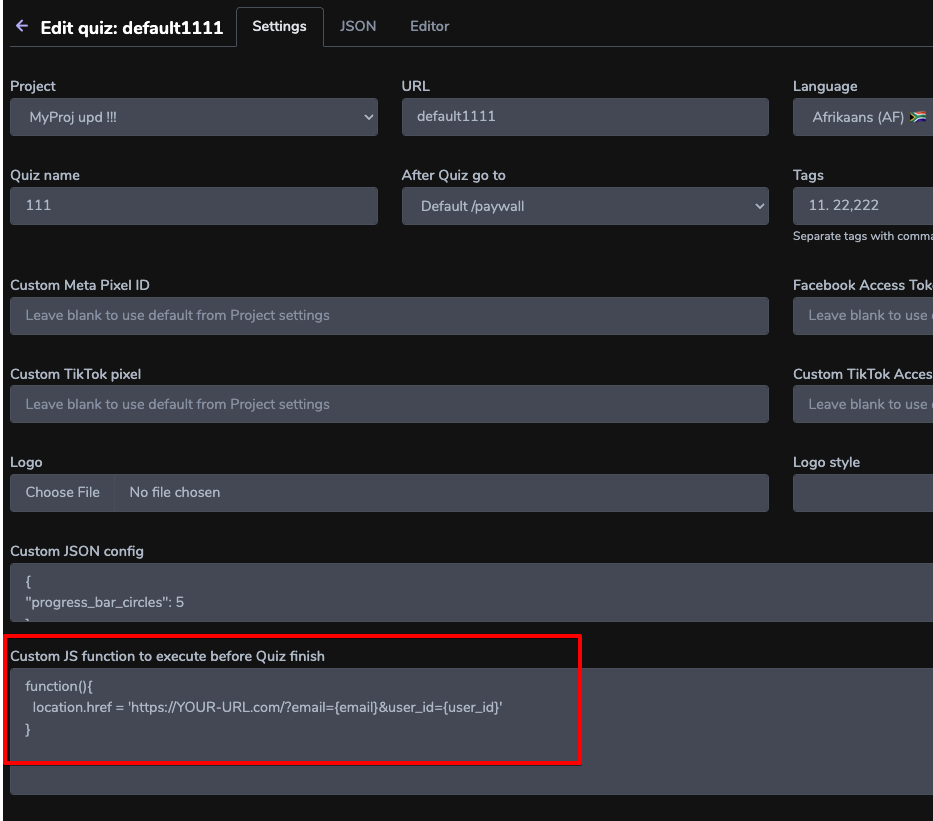
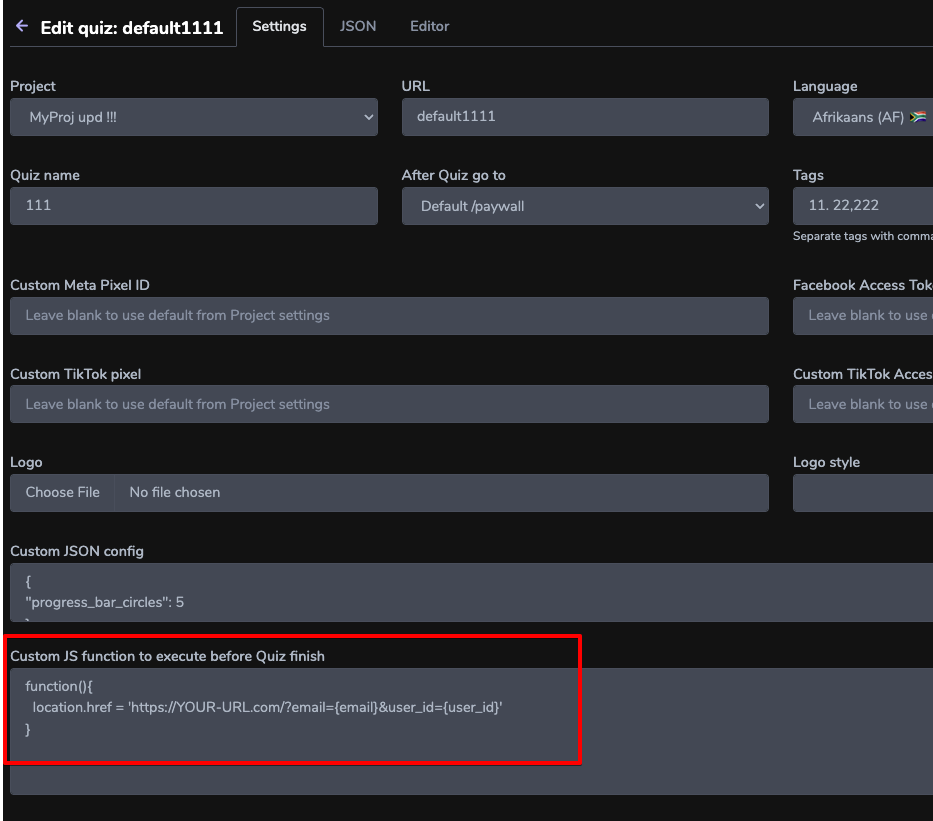
Add this function to "Custom JS function to execute before Quiz finish" in Quiz settings:
function(){
  location.href = 'https://YOUR-URL.com/?email={email}&user_id=USER_ID'
}
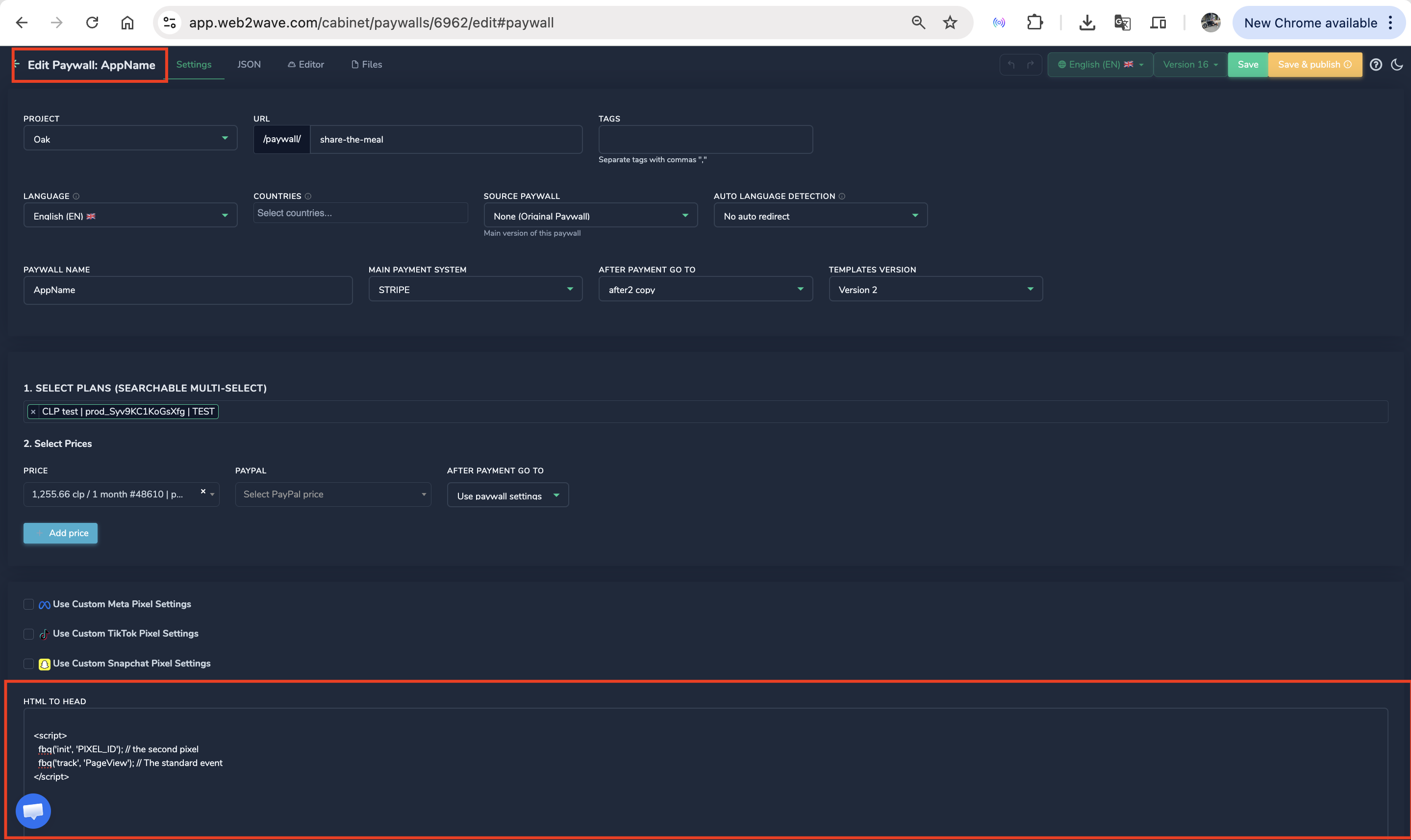
HTML to HEAD block
The HTML to HEAD field is used to inject custom scripts, meta-tags into the header of your project
This is essential for integrating third-party analytics, tracking tools, and custom design elements that are not built into the platform by default
Examples of what you can insert:
- Analytics & Event Tracking (Your Examples)
You can add tracking scripts like Amplitude or an additional Meta (Facebook) Pixel
<script>
  fbq('init', 'YOUR\_SECOND\_PIXEL\_ID');
  fbq('track', 'PageView');
</script>
Amplitude: Useful for deep product analytics and user behavior tracking
Multi-Pixel Setup: If you need to send data to a second backup pixel or a partner's ad account.
- Customer Support & Live Chats (New Example)
Add a live chat widget (like Intercom, Crisp, or Zendesk) so users can ask questions directly on your paywall, which significantly increases conversion
<script type="text/javascript">
  window.$crisp=[];window.CRISP_WEBSITE_ID="YOUR_ID";
  (function(){d=document;s=d.createElement("script");
  s.src="https://client.crisp.chat/l.js";s.async=1;
  d.getElementsByTagName("head")[0].appendChild(s);})();
</script>
Q: Is it possible to disable sending the user ID to Amplitude?
A: Yes, add this script to the required Quiz or Paywall ("Settings" -> "HTML to Head" section):
<script>
window.amplitude_disable_set_user_id = true;
</script>