
PayPal Alerts Guide
- Enrollment
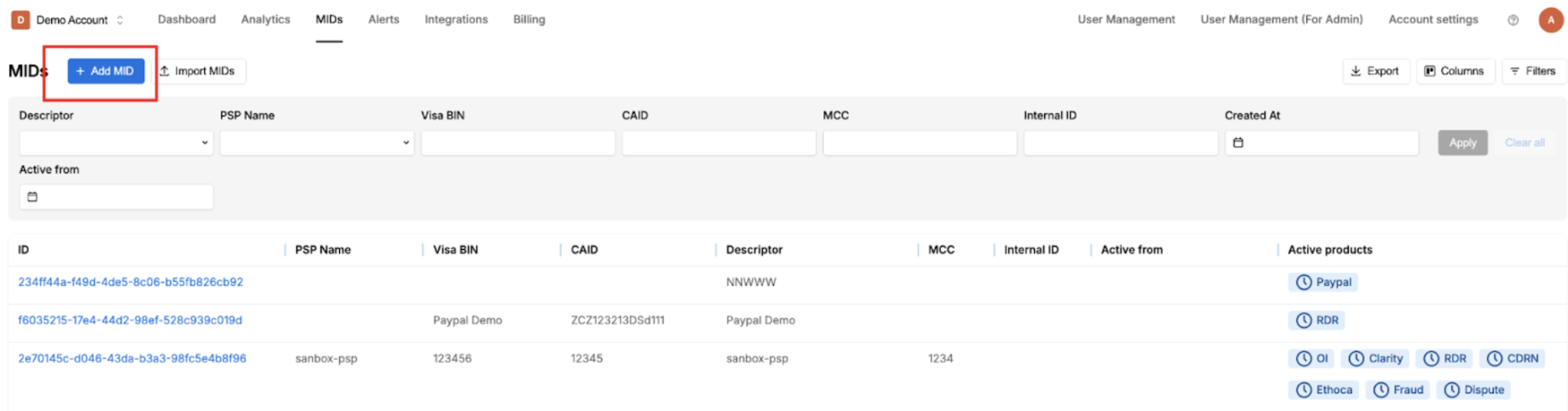
Log in to Chargebackhit. - Go to the MIDs section and click Add MID.
-
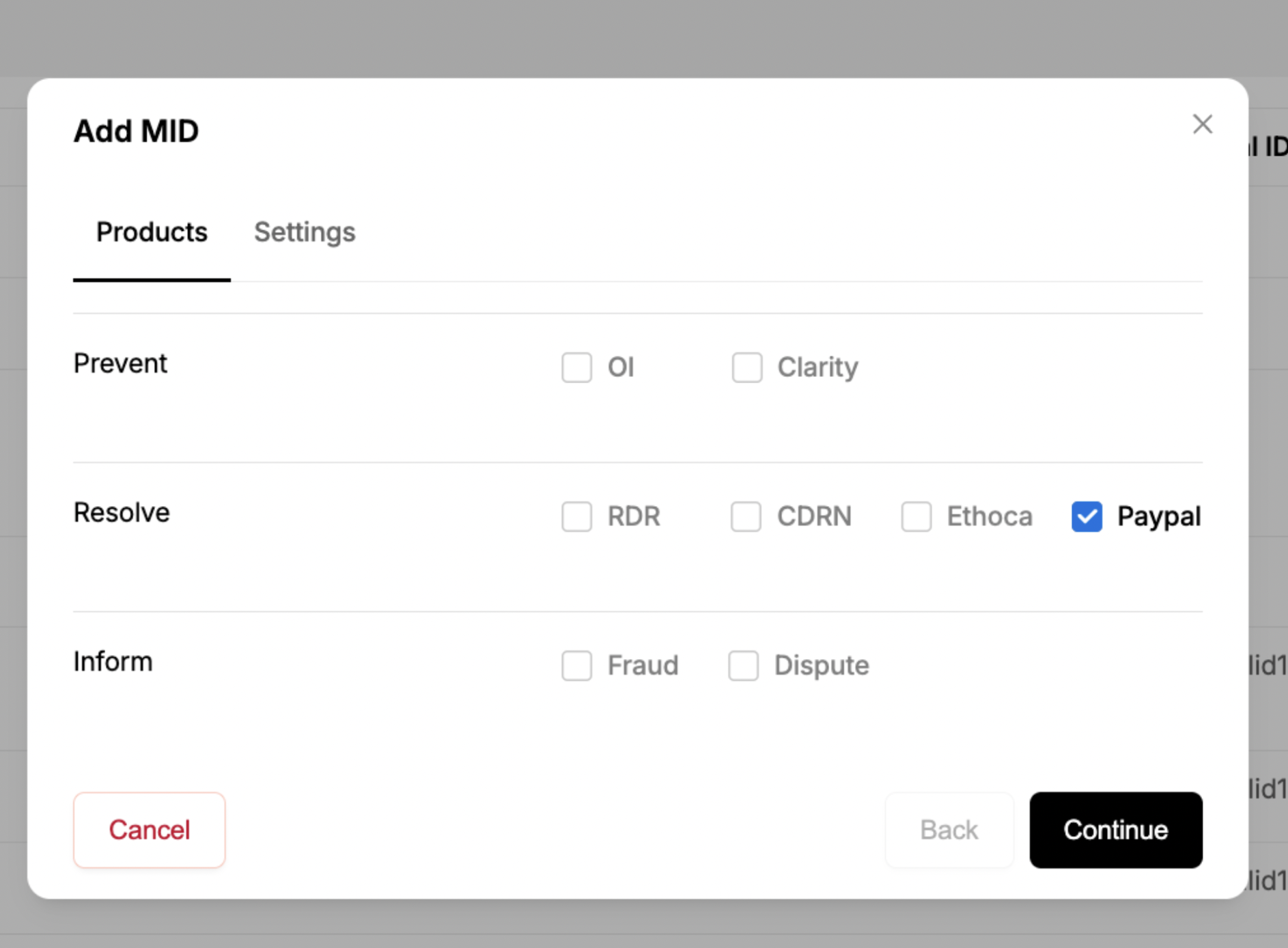
Select PayPal as the payment method.
-
Add the required enrollment parameters.
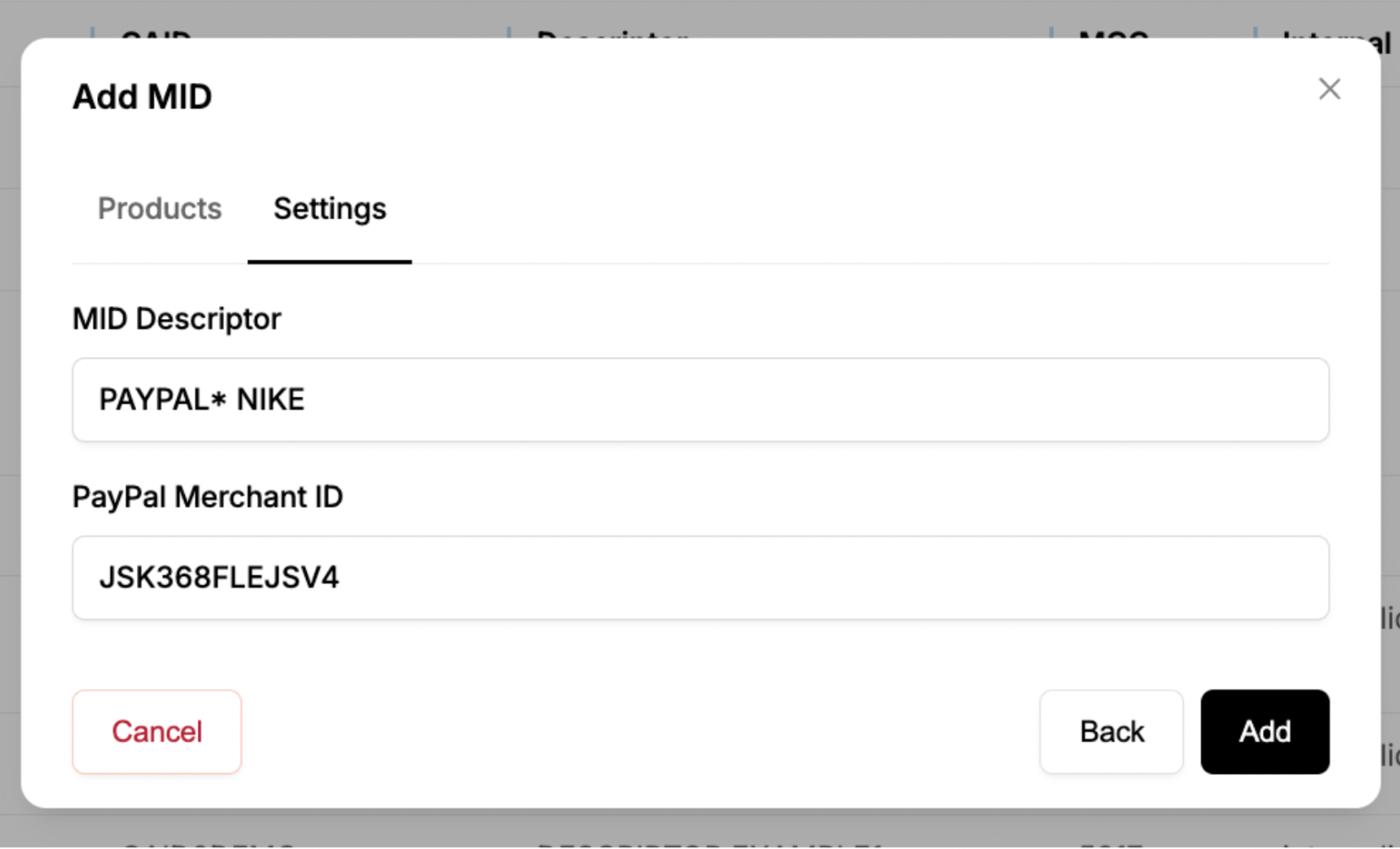
Required Parameters
MID Descriptor
Definition:
A payment (statement) descriptor is the name displayed on the customer’s credit card statement for a PayPal transaction.
Details:
- Always starts with the default prefix PAYPAL*.
- Maximum length: 22 characters.
- Merchants can customize the descriptor (e.g., add the business name or other identifiers) to help customers recognize the transaction.
PayPal Merchant ID
Definition:
A unique 13-character alphanumeric identifier assigned to a PayPal business account.
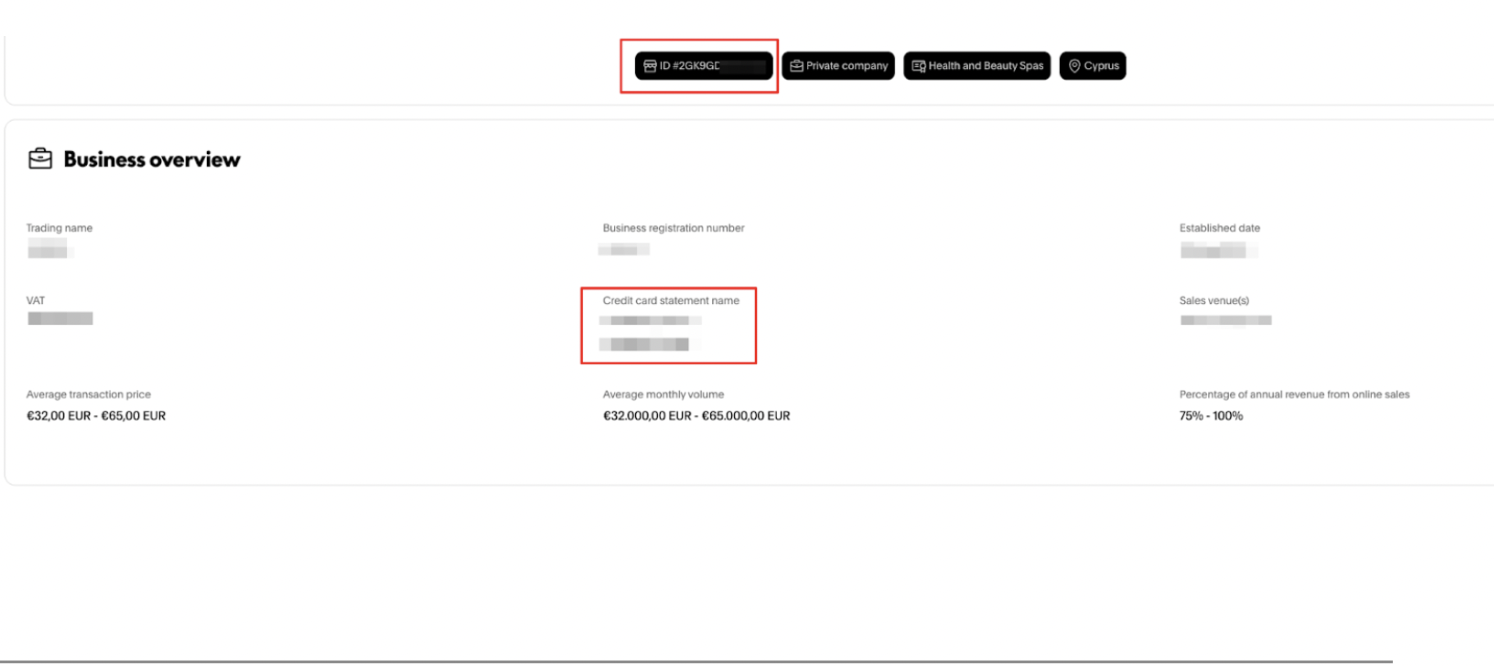
How to Find the PayPal Merchant ID
- Log in to PayPal and go to Account Settings.
- Navigate to Business Profile → Business Information → Update.
- Locate the following:
- ID = PayPal Merchant ID
- Credit Card Statement Name = MID Descriptor
Email Notifications
PayPal sends email notifications to the account email address with a delay of several days. These notifications contain details about the refund to the buyer via RDR.
A typical notification includes:
Transaction details:
- Transaction ID
- Transaction amount
- Buyer’s name
- Buyer’s email ID
- Case ID (e.g., PP-R-CGB-xxxxxxxxx)
- Disputed amount
- Refunded amount
Important note: Since the merchant is enrolled in Visa’s Rapid Dispute Resolution (RDR) program through Verifi, liability is automatically accepted and the refund is issued to the buyer. The amount is debited from the PayPal balance.
Status: The case is closed, and no further action is required from the merchant.